 Cordanis
Integration
Is Cordanis safe to connect to Salesforce, Gmail and Outlook?
Cordanis connects to Salesforce, Gmail and Outlook with each rep's own login, so it sees only what that rep already can. It reads, researches and drafts by itself. Every email it sends waits for a person's approval, and it writes to Salesforce only with approval or a logging switch the rep turns on. Nothing is certified yet.
How Cordanis connects to Salesforce, Gmail and Outlook
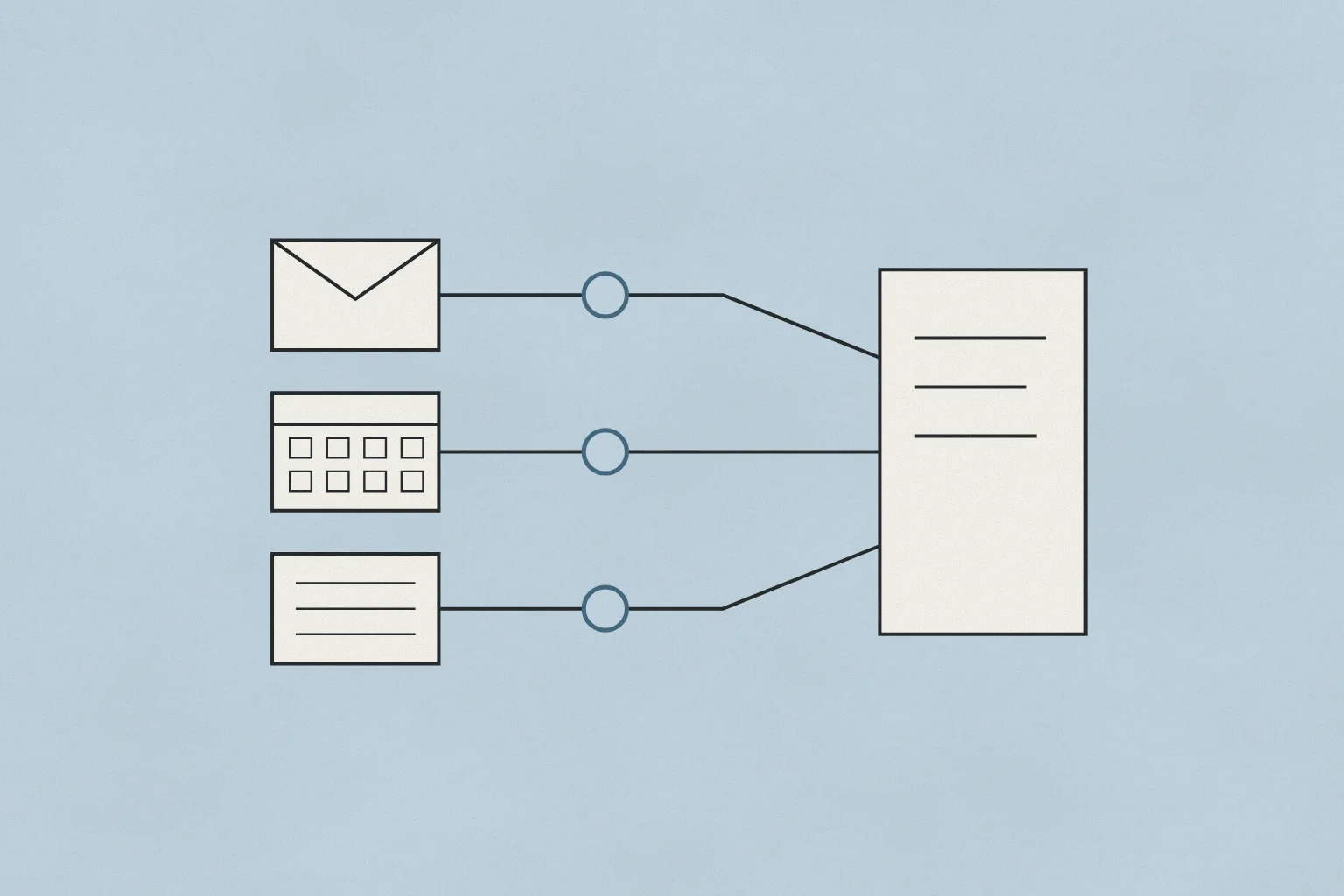
Cordanis connects to each tool with the rep's own login. A rep connects their CRM (Salesforce, HubSpot or Zoho CRM), their mailbox and calendar (Gmail and Google Calendar, or Outlook) and Slack with their own sign-in, so Cordanis works with what that rep is allowed to see. An admin connects Apollo and Granola once for the team.
Your owners and admins decide who is a member of your organization, and only members can see its data. Any tool can be disconnected in Settings, or revoked at the provider. Disconnecting stops every further read at once, and on request Cordanis deletes what it read before.
Some work happens while the rep is away, such as preparing the day's plan before they sign in. It uses the permission the rep gave when they connected, acts only as that rep, and leaves a record the rep can open. Without a person, Cordanis reads, researches and drafts. Sending an email waits for a person to approve it. Writing to the CRM waits for approval too, except the email logging a rep turns on for their own mail.
Your data is kept separate from every other customer, encrypted in transit and at rest, and stored on Amazon Web Services in the United States. It is not used to train AI by Cordanis or by its AI model providers, and it is deleted within 30 days of closing your account. The other companies Cordanis uses, such as its AI, search and email providers, process the part their work needs, possibly outside the United States, and the privacy policy names each one.
What Cordanis does with Salesforce or another CRM
Cordanis reads the rep's book from the CRM: the accounts, who owns each one, and their contacts, and, when the rep asks, other records that login can read, such as opportunities. It reads with the rep's own Salesforce, HubSpot or Zoho CRM login, so a record that rep can't open is a record Cordanis can't read either. The CRM's own roles and sharing rules still apply, and if your admin narrows what a rep can see, Cordanis sees less too. Inside Cordanis, what it has read about an account is seen by that account's team and by your organization's owners and admins.
The CRM stays the system of record. Cordanis is not a CRM, and it keeps no pipeline, forecast or opportunity records of its own. Through the day it checks the accounts in the background, and when something changes in the CRM, it notes the change on the account.
Cordanis never edits or deletes a record in your CRM. In Salesforce it can create two kinds of record. One is a contact the rep approved. The other is a record of the rep's own email, when the logging switch described below is on. HubSpot and Zoho CRM are read-only today. Each action is recorded: what was done, when, and who approved it.
The same rule covers people. When Cordanis finds an executive at an account whom the rep hasn't met, it proposes that person for the rep to approve. It looks them up through its own people data, or through Apollo when the team has connected it. An admin can turn people data off.
What Cordanis does with Gmail or Outlook mail and calendar
Cordanis reads the rep's mail to find replies, to see which threads are waiting on the rep, and to give the context of a conversation the rep asks about. It sends only emails a person approved, from the rep's own email address. For Gmail, it asks Google for two permissions, to read mail and to send it, and it does not change your drafts. For Outlook, it asks Microsoft to read and send mail and to read and write calendars, and some companies require a Microsoft admin to approve that first. The access Google grants is held encrypted and is never sent to the browser or shown to the AI model.
Cordanis does not copy the mailbox into its own storage. It keeps message details for the day's plan, and a message's content only where a feature used it: a conversation about it, a meeting brief, or an account's notes, along with the record of the request that used it. Only what touches an account is shared with the team.
Each step of a sequence is written from the account, in the voice the rep approved, and waits, written in full, until the rep approves it. A reply stops the rest of the sequence. Opens and clicks are not tracked.
On the calendar, Cordanis sees the rep's meetings and writes a brief from the account before each external meeting. It sends, moves or cancels an invite only when the rep approves it. With Google Calendar, it can find times when the rep and named teammates are free, without seeing what their meetings are.
What each connection reads, writes and waits for
This table lists each system a team can connect to Cordanis, what Cordanis reads from it, what it writes or sends, and what waits for a person. Reading and drafting happen by themselves. Anything Cordanis sends to a person or writes into these systems waits for approval, apart from the email logging a rep turns on.
| System | What Cordanis reads | What it writes or sends | What needs a person's approval |
|---|---|---|---|
| Salesforce, HubSpot or Zoho CRM | The rep's accounts, owners and contacts, and other records the rep asks about, as far as the rep's own login can see | In Salesforce only, contacts the rep approved, and the rep's own email when their logging switch is on. Nothing is edited or deleted | Each new contact, and turning email logging on |
| Gmail or Outlook mail | Replies, threads waiting on the rep, and conversations the rep asks about | Approved emails, from the rep's own email address | Every email, including each sequence step |
| Google Calendar or Outlook calendar | The rep's meetings, for briefs, and for Google Calendar the free and busy times of named teammates | Approved invites | Every invite, move or cancellation |
| Slack | Messages the rep's own Slack login can see, searched when the rep asks | Nothing as the rep. If an admin installs the Cordanis app, it replies in its own name where someone tags it | Nothing is sent as the rep |
| Apollo | People and company data, to find the executives at an account | The people found, saved as contacts in the team's Apollo after an approved lookup. No email and no sequences | Each lookup that spends the team's credits, and each person proposed |
| Cordanis people data | Names, roles and work email addresses for the people a rep looks up. On unless an admin turns it off | Nothing outside Cordanis | Each lookup |
| Granola | Meeting notes and transcripts from the team's Granola workspace | Nothing. Notes are filed on the account in Cordanis | Nothing, since it only reads |
Does Cordanis log emails and meetings to Salesforce automatically?
Email, yes, when the switch is on. Meetings, no. Your admin decides whether reps may log their email to the CRM, and each rep turns it on for their own mail, so it is off until both say yes. Then Cordanis logs the rep's emails to the matching records in Salesforce, and each one waits ten minutes with an Undo before it is written. HubSpot and Zoho CRM are read-only today, and Cordanis never edits or deletes a CRM record.
The account's record in Cordanis holds more than the log. Meetings and replies land on the account, the notes a rep takes in Granola or an uploaded transcript are filed there, and the next piece of work starts from all of it.
For a complete activity history inside Salesforce, meetings included, the first place to look is Salesforce's own Einstein Activity Capture. Salesforce's Trailhead describes it as automatically adding the emails and events reps send and receive to the activity timeline of the related Salesforce records. For teams on HubSpot, HubSpot's knowledge base describes logging sent and received emails from Gmail or Outlook to HubSpot, with a switch that, when turned on, logs every email.
The useful question is which job you are buying for. If activity never reaches Salesforce, an activity-capture tool solves that, and your CRM edition may already include one. If the hard part is knowing what to send to an account, and to whom, and keeping that knowledge from one meeting to the next, that is the work Cordanis does.
What is certified, and how to review it
Nothing about Cordanis is certified yet. SOC 2 and an independent penetration test are both still ahead, and each will be published on the Trust page when it is done. A security team that needs those reports before it approves a tool should know that at the start.
What exists today is the design this page describes, a record of each action Cordanis takes (what was done, when, and who approved it), and a security overview for reviewers. The overview covers how the system is built, how access is held, and how Cordanis runs it. Cordanis shares it under NDA and answers security questionnaires directly. Write to support@cordanis.com, which is also the email address for reporting a security concern.
The privacy policy names every company that receives customer data, and what each one receives. Cordanis sends AI requests only to providers whose terms say they do not train on them. Research web searches go to Parallel, which gets an account's name or website and what is being looked for, never your email, calendar or contacts. People lookups send a person's name and company to the people data providers the policy lists. People at Cordanis do not read your mail, except when you ask for support or when security or the law requires it.
Questions
Is Cordanis safe to connect to Salesforce and Gmail?
Cordanis connects with each rep's own login, so it sees only what that rep can see. Every email waits for a person's approval, and it writes to Salesforce only with approval or the rep's own logging switch. Nothing is certified yet, and Cordanis shares its security overview under NDA.
Does Cordanis send email from my Gmail or Outlook on its own?
No. Cordanis drafts each email, and a person approves it before it sends from the rep's own mailbox. A reply stops the rest of the sequence, and the rep approves the answer.
Can Cordanis change records in Salesforce?
It never edits or deletes one. It creates a contact only when the rep approves it, and logs the rep's own email only when the rep's switch is on. Each action is recorded with what was done, when, and who approved it, and Salesforce stays the system of record.
Which AI tools automatically log emails and meetings to Salesforce?
Salesforce's own Einstein Activity Capture logs both emails and events. Cordanis logs a rep's email to Salesforce when the admin allows it and the rep turns it on, with ten minutes to undo each one, and it does not log meetings. HubSpot logs email to HubSpot, not to Salesforce.
Is there an AI tool that drafts outreach from my CRM and email but lets me approve every email?
Cordanis does this for account executives. It drafts each step from the account's record, kept from the rep's mail, meetings and CRM, and each step sends from the rep's own mailbox only when the rep approves it.
Cordanis is the workbench for account executives. It keeps each account's record from your mail, meetings and CRM, and drafts the next move for you to approve. What Cordanis is · Trust